


How Universities Conduct Online Degree Examinations in India: Complete 2026 Guide
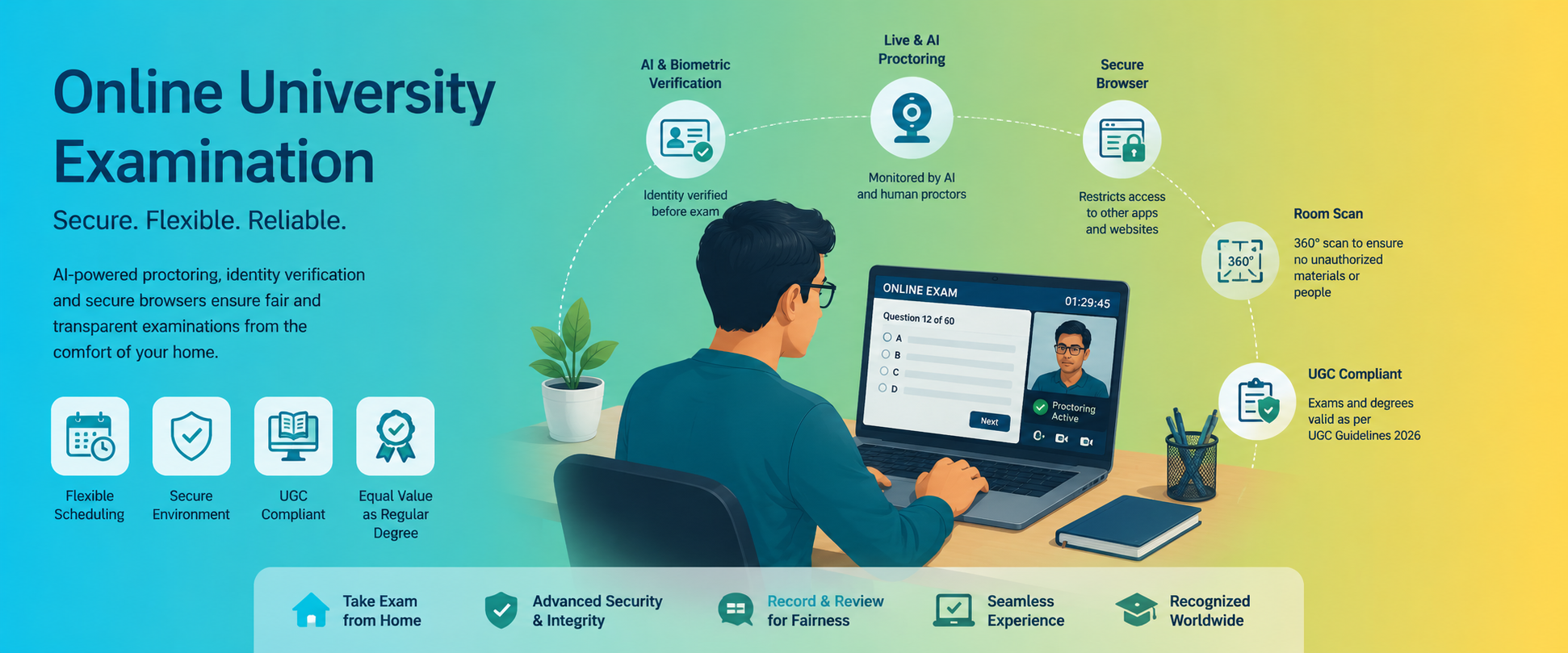
The rapid adoption of digital education has transformed the way universities conduct examinations. Today, many UGC-entitled universities across India offer online degree programmes supported by advanced technology that enables students to complete examinations securely from their homes. These examinations combine Artificial Intelligence (AI), biometric verification, remote human invigilation, secure browsers, and strict examination protocols to maintain fairness and academic integrity.
Online examinations are particularly beneficial for working professionals, international students, and learners who require flexible study schedules. Despite being conducted remotely, these examinations follow strict security standards to ensure that online degrees carry the same academic value as regular classroom degrees, provided they are offered by UGC-recognized institutions.
This guide explains the complete online degree examination process, technical requirements, AI-powered proctoring methods, examination rules, and important 2026 updates.
Understanding Online Degree Examinations
Online degree examinations allow students to appear for university assessments using a laptop or desktop computer connected to the internet. Instead of visiting an examination hall, students complete their exams through a secure online platform while being monitored through AI-enabled software and remote proctors.
These examinations are designed to replicate the discipline of traditional examination centres while offering greater convenience and accessibility.
Complete Online Degree Examination Process
1. Student Registration and Slot Booking
The examination process begins through the university's Learning Management System (LMS).
Students are required to:
- Log into their student portal
- Register for upcoming examinations
- Choose available examination dates
- Select a convenient examination time slot
- Download examination instructions
Flexible slot booking allows working professionals and distance learners to schedule examinations according to their availability.
2. Identity Verification
Before the examination begins, students undergo multiple identity verification steps.
These generally include:
- Uploading or presenting a government-issued photo ID
- Capturing a live facial image
- AI-based facial recognition matching
- Verification against university admission records
Only after successful verification is the examination session activated.
3. Biometric Authentication
Many universities use biometric technologies to prevent impersonation.
The verification process may include:
- Facial recognition
- Live face detection
- Anti-spoofing technology
- Continuous facial monitoring throughout the examination
If identity mismatches occur, the examination may be paused or flagged for manual review.
4. Environment Scan
Students are usually instructed to perform a 360-degree room scan using their webcam.
The objective is to ensure:
- No books or written notes are present
- No mobile phones are within reach
- No additional monitors are connected
- No unauthorized person is present
- The examination area is clean and distraction-free
Proctors may request additional scans if necessary.
5. System Compatibility Check
Before the examination starts, the platform automatically checks:
- Webcam functionality
- Microphone access
- Internet speed
- Browser compatibility
- Operating system support
- Screen resolution
- Device permissions
Students should complete these checks well before the examination date to avoid technical issues.
AI-Powered Remote Proctoring
Modern universities rely on AI-powered remote proctoring systems that monitor student behaviour throughout the examination.
These systems analyse multiple parameters simultaneously, including:
- Eye movement
- Head movement
- Face position
- Background noise
- Multiple face detection
- Presence of electronic devices
- Unusual body movements
Whenever suspicious behaviour is detected, the software automatically generates alerts for further review.
Live Human Proctoring
Many universities also employ trained human invigilators.
Live proctors monitor students through:
- Webcam feeds
- Microphone audio
- Screen sharing
- Chat communication
If any examination rule is violated, the proctor can issue warnings, pause the examination, or report the incident to the university.
Record-and-Review Proctoring
Some institutions combine AI monitoring with post-examination review.
The complete examination session is recorded, allowing university officials to:
- Review flagged incidents
- Verify suspicious behaviour
- Investigate complaints
- Confirm examination integrity
This hybrid approach improves examination security while reducing unnecessary interruptions.
Secure Lockdown Browsers
To prevent cheating, universities require students to install specialized secure examination browsers.
These browsers restrict access to:
- Search engines
- Social media
- Messaging applications
- Screen recording software
- External websites
- File sharing applications
Additional security measures include:
- Disabling copy-paste
- Blocking screenshots
- Preventing multiple browser tabs
- Restricting keyboard shortcuts
- Preventing printing
This creates a controlled digital examination environment.
Basic Technical Requirements
Students appearing for online examinations should have:
Hardware
- Laptop or desktop computer
- Functional webcam
- Working microphone
- Speakers or headphones (if permitted)
Internet
- Stable broadband connection
- Minimum recommended speed as specified by the university
- Backup internet connection whenever possible
Software
- Updated web browser
- Secure examination browser
- Latest operating system updates
- Webcam permissions enabled
Students are advised to avoid using mobile phones unless specifically allowed by the university.
Examination Day Guidelines
Students should:
- Log in at least 30–45 minutes early
- Keep their photo ID ready
- Ensure adequate room lighting
- Sit in a quiet environment
- Charge their laptop fully
- Close unnecessary applications
- Keep the webcam active throughout the examination
Following these instructions minimizes technical interruptions.
Activities Strictly Prohibited
Universities maintain strict examination policies to preserve academic integrity.
Students must not:
- Use unauthorized books or notes
- Communicate with anyone during the examination
- Access internet search engines
- Use mobile phones
- Wear smart devices unless permitted
- Open additional browser tabs
- Copy another student's answers
- Take screenshots
- Record examination sessions
- Use virtual machines or screen-sharing software
- Attempt to bypass secure browser restrictions
Violations may result in cancellation of the examination, disciplinary action, or disqualification.
Privacy and Data Protection
Online examination platforms collect limited information necessary for identity verification and examination security.
This may include:
- Webcam recordings
- Audio recordings
- Facial recognition data
- Screen activity
- Browser logs
Reputed universities follow applicable privacy regulations and clearly explain how examination data is collected, stored, protected, and deleted after the required retention period.
Students should always review the university's privacy policy before appearing for examinations.
UGC Guidelines and Degree Recognition (2026)
According to the latest UGC regulations, online degrees offered by UGC-entitled universities are academically equivalent to conventional degrees, provided all regulatory requirements are fulfilled.
These degrees are accepted for:
- Higher education
- Government employment (subject to recruitment rules)
- Private sector employment
- Competitive examinations
- Professional career advancement
Institutions such as the University of Calicut and several other recognized universities conduct examinations under these approved frameworks.
Hybrid Examination Model
Not all online programmes conduct examinations remotely.
Many universities follow a blended or hybrid approach where:
- Classes are delivered online
- Study materials are digital
- Internal assessments are online
- Semester examinations are conducted at designated examination centres
Students should verify the examination mode before admission.
Courses Not Eligible for Fully Online Delivery
Certain programmes require practical laboratory training or clinical experience and therefore cannot be completed entirely online.
These typically include:
- MBBS
- BDS
- Nursing
- Allied Health Sciences
- Pharmacy practical programmes
- Clinical laboratory courses
Such programmes continue to require mandatory physical attendance for practical sessions and examinations.
Advantages of Online Degree Examinations
Online examinations offer several benefits:
- Flexible scheduling
- Greater accessibility
- Reduced travel expenses
- Secure AI-based monitoring
- Faster evaluation
- Digital result processing
- Convenient for working professionals
- Equal academic recognition under UGC regulations
These advantages have made online education increasingly popular among learners across India.
Conclusion
Online degree examinations have become a reliable and secure component of higher education in India. By integrating AI-powered remote proctoring, biometric verification, secure browsers, live invigilation, and strict examination protocols, universities ensure that students can complete assessments from home while maintaining the credibility of their qualifications. As digital education continues to expand, online examinations provide an efficient, flexible, and academically robust alternative to traditional examination methods. Students should always choose UGC-entitled universities, meet all technical requirements, and follow examination guidelines to ensure a smooth, fair, and successful examination experience.